
Skip to main content
Welcome To Our Support Center
How can I cancel my membership?
We do appreciate your business greatly and hope you’ll continue to enjoy our other products as you need them.
You can cancel your subscription in your PayPal account by following the instruction here.
If you are paying via credit card, you can cancel your subscription by following these steps:
1- Login to your account here: https://cindybidar.com/order/member
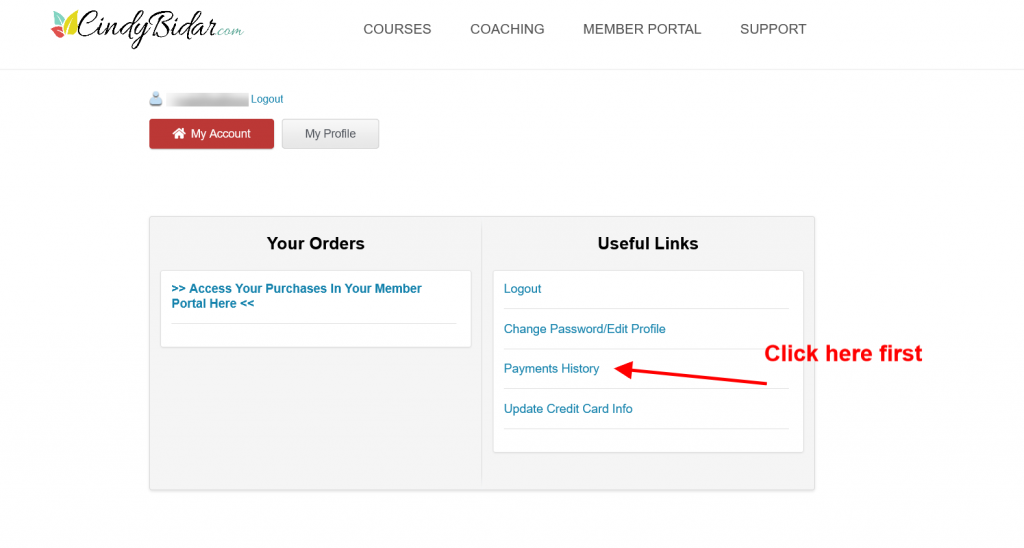
2- On the right side under Useful links, please click on Payments History (screenshot below)
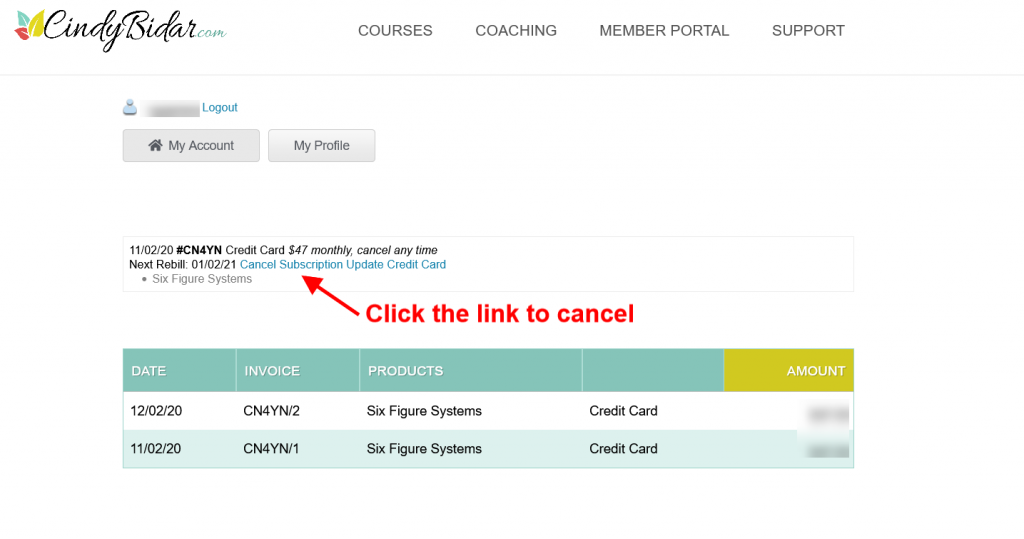
3- Inside the payment history page, click on Cancel Subscription link (screenshot below)
IMPORTANT! To ensure you are not charged for another month, please cancel 48-72 hours prior to the next scheduled payment date.